

X3bet App Download Guide for iOS, Android, and Mobile Users
The X3bet App guide is most useful when you want one place to understand how mobile access works on iPhone, Android, and smaller tablets. This page explains what to expect before you install anything, how the X3bet Mobile App typically behaves on different devices, and where the common download paths usually lead. Because mobile builds can change by platform, the advice here stays focused on safe setup rather than guessing at a single universal install method. It also helps you compare the X3bet Casino App style of play with the browser version before you make a decision.
On iPhone, the X3bet iOS App may rely on a store listing or a browser-based installation flow, while Android users often see an APK or web shortcut instead. That difference is important because the safest X3bet App Download method depends on the device you already use. You'll also see what permissions matter, how updates can affect login sessions, and how to avoid broken installs. If you mainly want quick access to games or sports markets, the X3bet Android App and iPhone route should feel familiar after a short setup.
X3bet Mobile App Overview for Casino Players and Sports Users

Small screens force casino and sportsbook layouts to simplify fast. The X3bet Mobile App is usually designed so the lobby, cashier, and live markets take fewer taps than a desktop browser. That matters most for players who switch between slots and sports within the same session. It also means icons, filters, and betslips need to stay readable without zooming.
Not every release channel works the same way on every device. Some users install the X3bet App as a native build, while others open a browser wrapper that behaves like an app without a full store listing. Before you install, it helps to check the operating system version, free storage, and whether notifications or biometric login are supported. Those details are what separate a smooth setup from a frustrating retry loop.
Who gets the most value from the mobile version?
Players who log in for short sessions usually notice the biggest benefit from X3bet Casino App access. A compact interface saves time when you just want to check a live line, spin a slot, or review account balance.
Sports users also like the app when odds move quickly because the betslip stays closer to the action. If you travel often, the X3bet Mobile App can be more practical than waiting to reach a laptop every time you want to make a change.
How is the mobile layout different from desktop?
The main change is priority. The X3bet App usually puts search, promotions, and navigation into a tighter menu, while desktop can keep more options visible at once. That makes the phone version quicker to scan, but sometimes less detailed on the first screen.
A mobile build also depends more on touch-friendly controls. On smaller displays, the X3bet Mobile App may hide less-used settings behind extra taps, which is normal and usually improves readability.
| Platform | Typical install route | Best use case | Main caution |
|---|---|---|---|
| iPhone | Safari shortcut or native iOS package if offered | Fast access to games and account tools | Check iOS version and permission prompts |
| Android | Official APK or installed package from the operator | Flexible setup and quick updates | Verify the file source before enabling installs |
| Mobile web shortcut | Add to Home Screen from the browser | Lightweight access with low storage use | May rely more on browser cache and cookies |
| Tablet | Same route as phone or browser-based access | Larger touch area for browsing and betting | Confirm that the layout scales cleanly |
X3bet App Download Steps for iOS and Android Devices

iPhone installs are usually the most sensitive to source and permissions. If the X3bet iOS App is offered as a browser-based shortcut, Safari settings and Home Screen permissions may matter more than App Store steps. If the operator uses a direct install route, version checks become important because older iOS builds can block sign-in or break the display. Either way, the safest X3bet App Download path starts with confirming the official source on your device.
Android tends to be more flexible, but that flexibility brings extra checks. The X3bet Android App may come as an APK, which means you should only install it after verifying the file source and current version. Storage, battery settings, and security permissions can also interrupt a clean install if you rush through the prompts. Once those basics are in order, opening the app is usually straightforward.
How do I install the iPhone version?
If you are using an iPhone, start by opening the official install route in Safari rather than a random mirror. The X3bet iOS App may ask you to add a shortcut to the Home Screen or approve a profile-style permission, depending on the release method. Read every prompt carefully so you know whether you're creating a web app shortcut or installing a native package.
After that, open the new icon and test the login screen before you place a bet. If the X3bet App Download stalls, refresh the page once, confirm your iPhone has enough free space, and make sure Safari is allowed to save website data.
How do Android users install safely?
Android users should start by checking that the file name and version match the official release you expected. The X3bet Android App may need an install from unknown sources permission, but that should only be enabled for the exact browser or file manager you used. Turning the permission off again after installation is a sensible cleanup step.
When the installer finishes, launch the app and watch for permission requests related to storage, notifications, or location. A clean X3bet App install should not ask for unusual extras, and any unexpected prompt is a good reason to stop and recheck the source.
What should I check before first launch?
Before you sign in, update your device clock and check that automatic date settings are enabled. The X3bet Mobile App and many browser-style builds rely on accurate time to validate sessions and secure pages. If the time is wrong, login tokens can expire immediately or the screen may loop back to the start.
It also helps to keep one test session simple. Open the X3bet Casino App, confirm the lobby loads, and only then decide whether to save login details or enable biometric access.
Use this quick sequence if you want a clean setup on either platform. It keeps the X3bet App Download process organised and reduces the chance of repeating steps later.
- Start from the official X3bet App Download source for your device and avoid mirrored files or forwarded installer links.
- Check your operating system, available storage, and Wi-Fi or mobile data connection before you begin.
- Allow only the permissions that are required for installation, such as browser access or file storage.
- Open the X3bet Mobile App once after installation and confirm that the lobby and login screen load properly.
- Keep the app updated and remove any old shortcuts or duplicate installers that could conflict with the current version.
If you follow the sequence above, the X3bet iOS App or Android build is much less likely to fail halfway through setup.
X3bet Casino App Features, Security, and Account Access
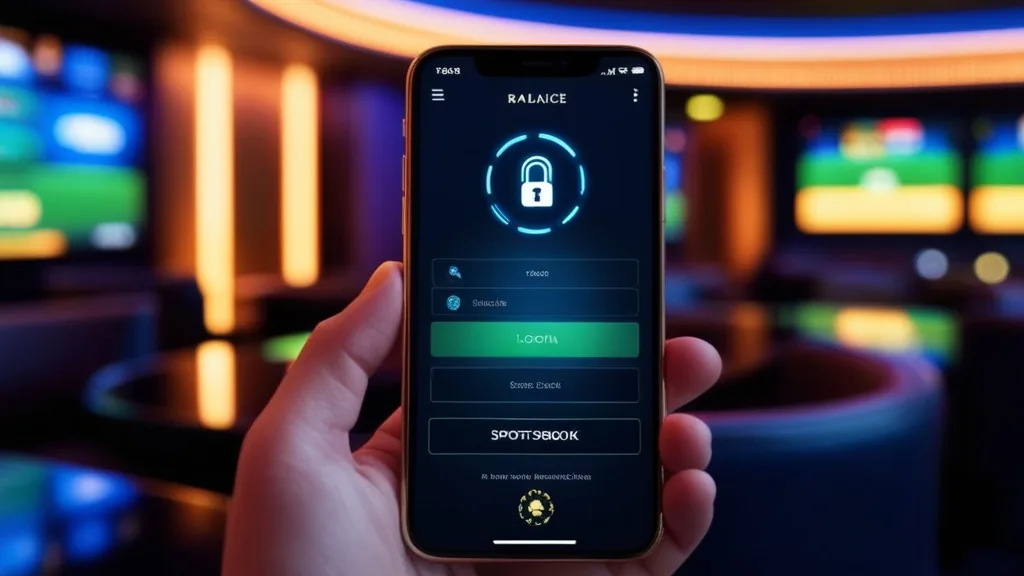
Fast navigation is the biggest reason people look for a mobile build. The X3bet Casino App should make it easier to move from a lobby to a game or betslip without reloading the whole site, and that matters even more on slower connections. The X3bet App also tends to feel better when a session is short because the interface remembers the last area you used. If you play in bursts during the day, that small efficiency adds up.
Security is just as important as speed on a phone. A well-built X3bet Mobile App usually keeps session data protected with standard browser security or app-level encryption, and it may support biometric login if the operator enables it. Account access should feel quick, but it should never skip the usual checks when you move to cashier or withdrawal screens. That balance is what makes mobile access useful rather than merely convenient.
Which features matter most when betting or playing on mobile?
The best everyday features are short paths to search, betslip, balance, and recent activity. In a X3bet App, those elements should stay visible enough that you can make a change without hunting through menus. If the app hides too much, it may look cleaner but feel slower in real use.
Live odds, quick filters, and recent games also matter because they reduce repeated taps. The X3bet Casino App is more pleasant when it remembers your last category and lets you jump straight back in after a disconnect.
How is account security handled on a phone?
Most mobile security comes down to session handling and device permissions. A secure X3bet Mobile App should protect your login with standard HTTPS transport and session expiry, while letting you decide whether to save credentials on the device. If biometrics are offered, use them only on a phone you control.
You should also review notification settings carefully. The X3bet App may send alerts about logins, updates, or promotions, and it is smart to keep the useful security notices while muting anything that feels noisy.
What account tools should you expect?
A solid mobile build should still let you check balance, history, deposits, and profile details without switching to desktop. The X3bet Casino App is most useful when those account tools sit close to the lobby instead of being buried in a separate menu.
If the app includes responsible-play controls, that is a positive sign. On X3bet App style pages, limits, self-exclusion tools, and support access should be easy to find because they matter just as much on mobile as on desktop.
Troubleshooting X3bet App Installations and Update Issues Safely

Most install problems come from simple mismatches rather than serious faults. The X3bet App Download can fail if the OS is outdated, storage is almost full, or a previous installer is still sitting on the device. Broken cache data can also make a page look stuck when the file is fine. The good news is that these issues are usually easy to check one by one.
Update issues are similar, especially on phones that keep old shortcuts or cached pages around. If the X3bet Android App or X3bet iOS App suddenly behaves differently after an update, the first step is usually to close it completely and confirm you are on the latest supported build. That simple reset often clears login loops, missing icons, and blank screens without needing a full reinstall.
Why won't the app install on my device?
An install can fail when the device blocks unknown sources or the browser download never completed properly. The X3bet App may also refuse to open if the system sees the file as damaged or incomplete. Check the file size, version, and available storage before trying again.
If the failure happens on iPhone, the issue is often tied to a shortcut permission or an unsupported iOS version. The X3bet iOS App should work only when the device meets the release requirements, so an older phone may need a browser-based fallback instead.
What if the app opens but I can't log in?
Login loops are often caused by saved credentials, stale cookies, or an incorrect date and time setting. The X3bet Mobile App may also reject a session if you switched networks while opening it, especially on weak public Wi-Fi.
Try clearing the active session and signing in again with a fresh connection. If the X3bet Casino App still refuses the password, reset it through the normal account flow rather than guessing repeatedly.
How do I update safely without losing access?
The safest update path is to close the app, confirm the new version source, and avoid keeping two installers on the device. A clean X3bet Android App update should preserve your account, because the login lives on the server, not in the installer file.
After the update, open the app once before clearing anything else so you can spot missing permissions or layout changes. If needed, re-enable only the settings the X3bet App actually uses, such as notifications or biometric login.
When you want to troubleshoot without making the problem worse, work through these checks in order. They help you stay focused on the X3bet App Download source and the device settings that usually matter most.
- Confirm the installer came from the official X3bet App Download route and not a reposted file.
- Restart the phone to clear temporary memory and retry the launch.
- Check storage, time settings, and network strength before installing again.
- Remove duplicate shortcuts or old installers that might conflict with the current build.
- If the problem continues, reinstall only after verifying the X3bet Mobile App version you expect.
These checks solve most setup problems without risking the account itself, and they are safer than repeatedly reinstalling the X3bet iOS App or Android build.